Orders Tab
The Orders tab in 1LYOptions gives you complete visibility and control over all the trades you place. From here, you can check whether your orders are executed, pending, or rejected, along with detailed status updates.
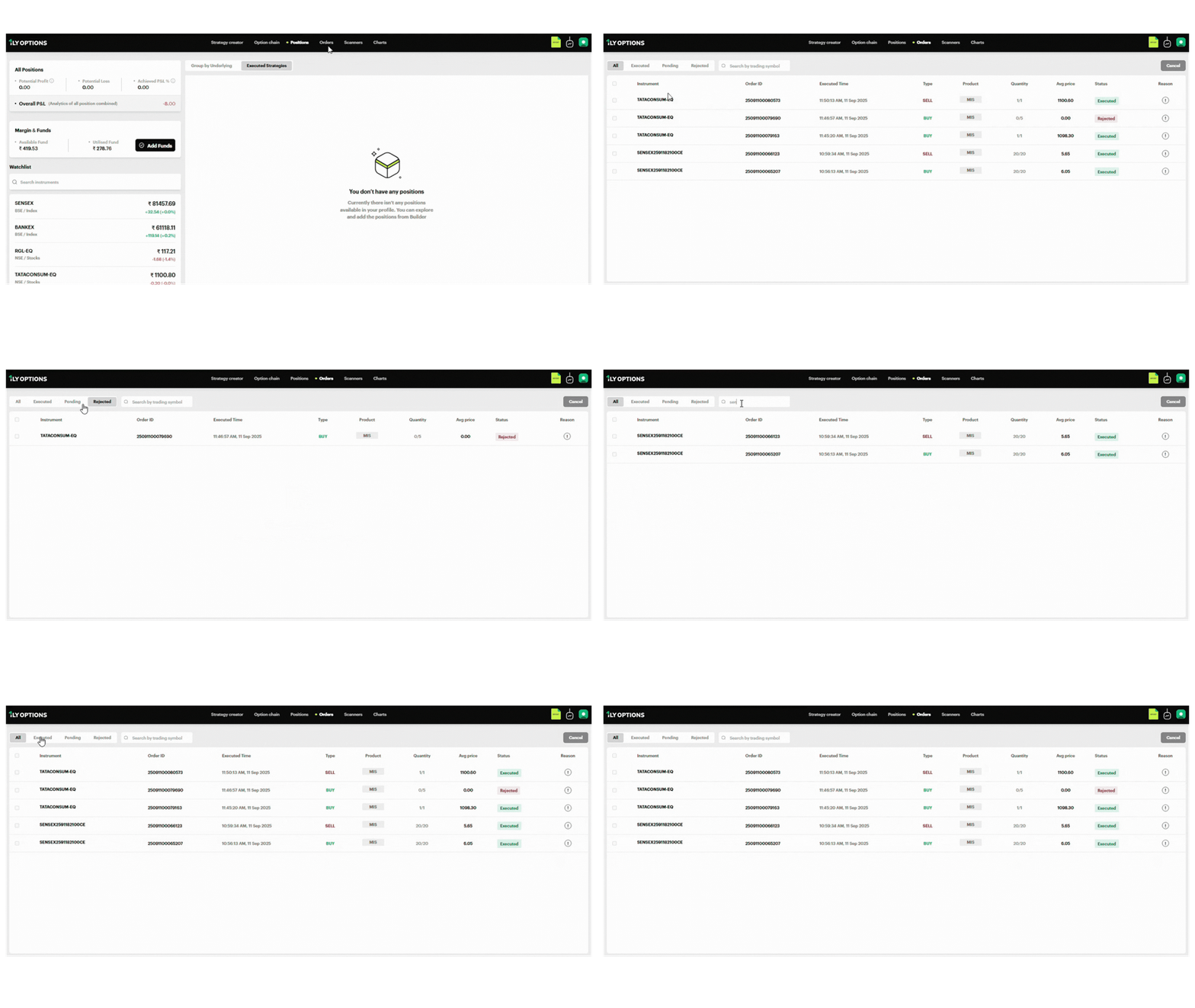
Key Features of the Orders Tab
1. Order Filters
At the top of the screen, you can easily filter orders:
- All: Displays every order placed.
- Executed: Shows only successfully completed trades.
- Pending: Displays orders that are still open and awaiting execution.
- Rejected: Lists failed orders with reasons.
There is also a search bar to quickly find orders by instrument name or trading symbol.
2. Order Details
Each order row provides complete information:
- Instrument: The stock, index, or option contract traded (e.g., TATACONSUM-EQ, SENSEX 2591182100CE).
- Order ID: A unique identifier for tracking your order.
- Executed Time: The time when the order was placed or completed.
- Type: BUY (green) or SELL (red).
- Product: Indicates order type:
- MIS (Intraday): Position squared off the same day.
- NRML (Normal): Carry forward position.
- Quantity: Number of contracts/lots in the order.
- Avg Price: Average executed price for the order.
- Status: Shows whether the order is Executed, Pending, or Rejected.
- Reason (! icon): For rejected or partially filled orders, click the icon to see the detailed reason.
3. Common Order Status Indicators
- Executed (Green): Order successfully placed and completed.
- Pending (Orange): Order placed but not yet filled.
- Rejected (Red): Order could not be processed (e.g., insufficient margin, price mismatch).
4. Actions Available
- Cancel Orders: Use the Cancel button at the top right to cancel pending orders.
- Check Order Reasons: Click the “!” icon to view the rejection reason or details of order execution.
Example
From the Orders tab:
- SENSEX 2591182100CE BUY (20/20) at ₹6.05 → Status: Executed.
- TATACONSUM-EQ BUY (0/5) → Status: Rejected, reason available under “!”.
- TATACONSUM-EQ SELL (1/1) at ₹1100.60 → Status: Executed.